Patientcentre uses NHS login, so you will need an NHS login account to access the app. This is the same account that you can use to access the NHS App so there is no need to set up another account. You just need to give Patientcentre access to use your NHS login account to identify you.
If you have not yet downloaded Patientcentre, please read How do I download Patientcentre? before continuing.
I have an iPhone
If you have an iPhone and have downloaded the Patientcentre iOS app, when you first open Patientcentre you will see the launch screen.
Placeholder - iPhone screen does not currently match the design as it does not display the Terms of Use or Privacy Policy
You must confirm that you have read the Terms of Use and Privacy Policy by ticking the box on the screen that says "I agree to the Patientcentre Terms of Use and Privacy Policy". Once you have ticked the box, the Continue to NHS login button will appear.
Placeholder - iPhone screen does not currently match the design as it does not display the terms of use or Privacy Policy
Select the Continue to NHS login button and the NHS login website will open on your phone.
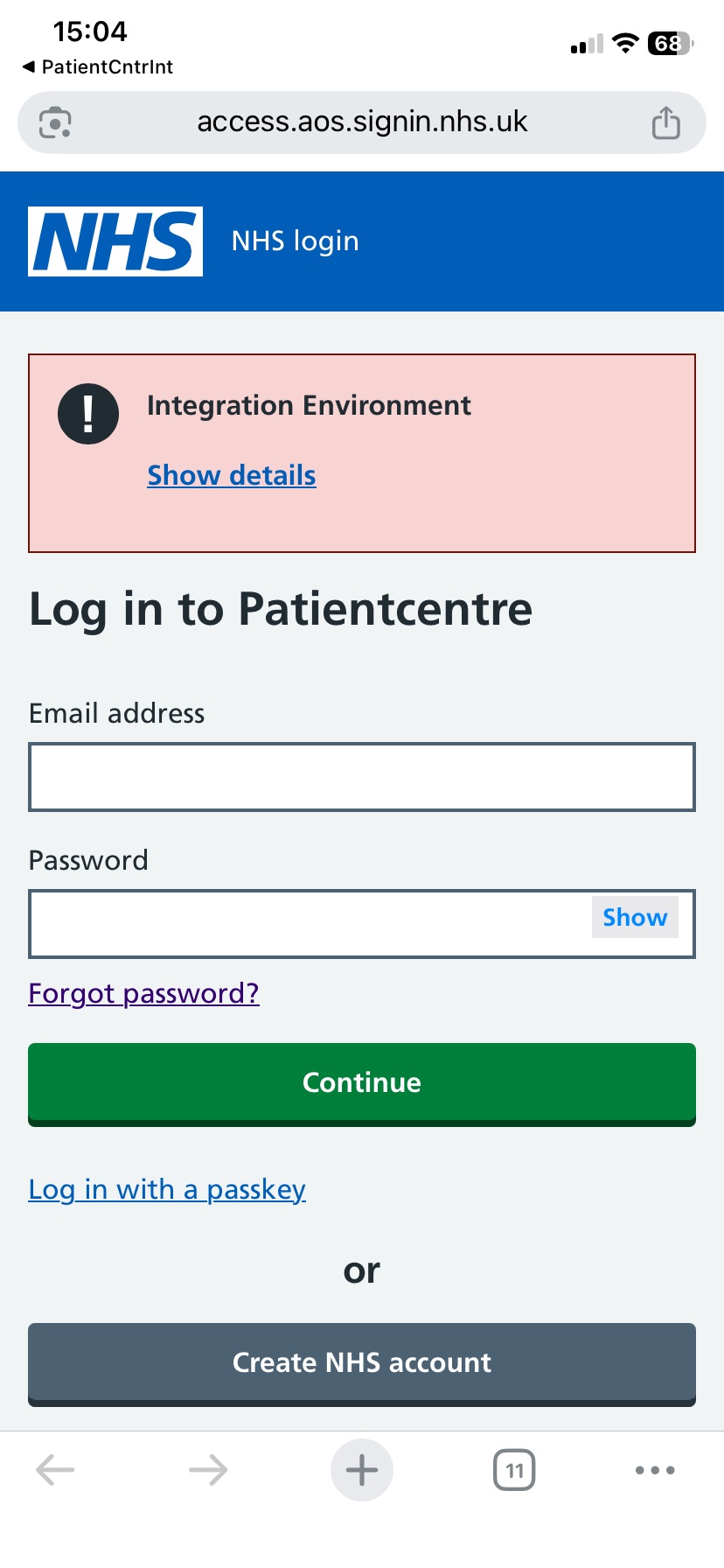
If you do not have an NHS login account, select Create NHS account. To register for a new account, you will need to be registered with a GP and you will need photo ID. The NHS login registration pages provide a lot of guidance during the registration process, but if you want to read about the process prior to registering then visit help.login.nhs.uk.
If you already have an NHS login account, or once you have completed the registration process and have accessed Patientcentre again, enter your NHS login email and password then select Continue.
You will then receive a text message to your phone containing a 6 digit code. Enter the code and select Continue.
Next, you will be asked to agree to share your NHS login information with Patientcentre. If you do not do this, you will not be able to use Patientcentre. Select I agree. Your details will then be checked.
You might then be asked if you want to store a passkey on your device for enhanced security, enabling you to log in next time using your fingerprint, face, passcode or pattern that you have on your device. If you want to do this, select Set up a passkey. If you do not want to do this, select Skip passkey setup and continue to Patientcentre.
A dialog box will then appear saying "This site is trying to open another application". Select Allow to open Patientcentre. You will then be taken back to the Patientcentre app and you will be able to log in using your biometrics (your face or fingerprint).
When you open the Patientcentre app next time, if it is less than 30 days since your last login and if the app has not been updated since your last login, you will not need to use NHS login. Instead, you can use your biometrics (your face or fingerprint) or a passcode to log into Patientcentre. Otherwise, you will need to log in again via NHS login.
I have an Android phone
If you have an Android phone (such as a Google Pixel or a Samsung Galaxy) and have downloaded the Patientcentre Android app, when you first open Patientcentre your will see the launch screen.
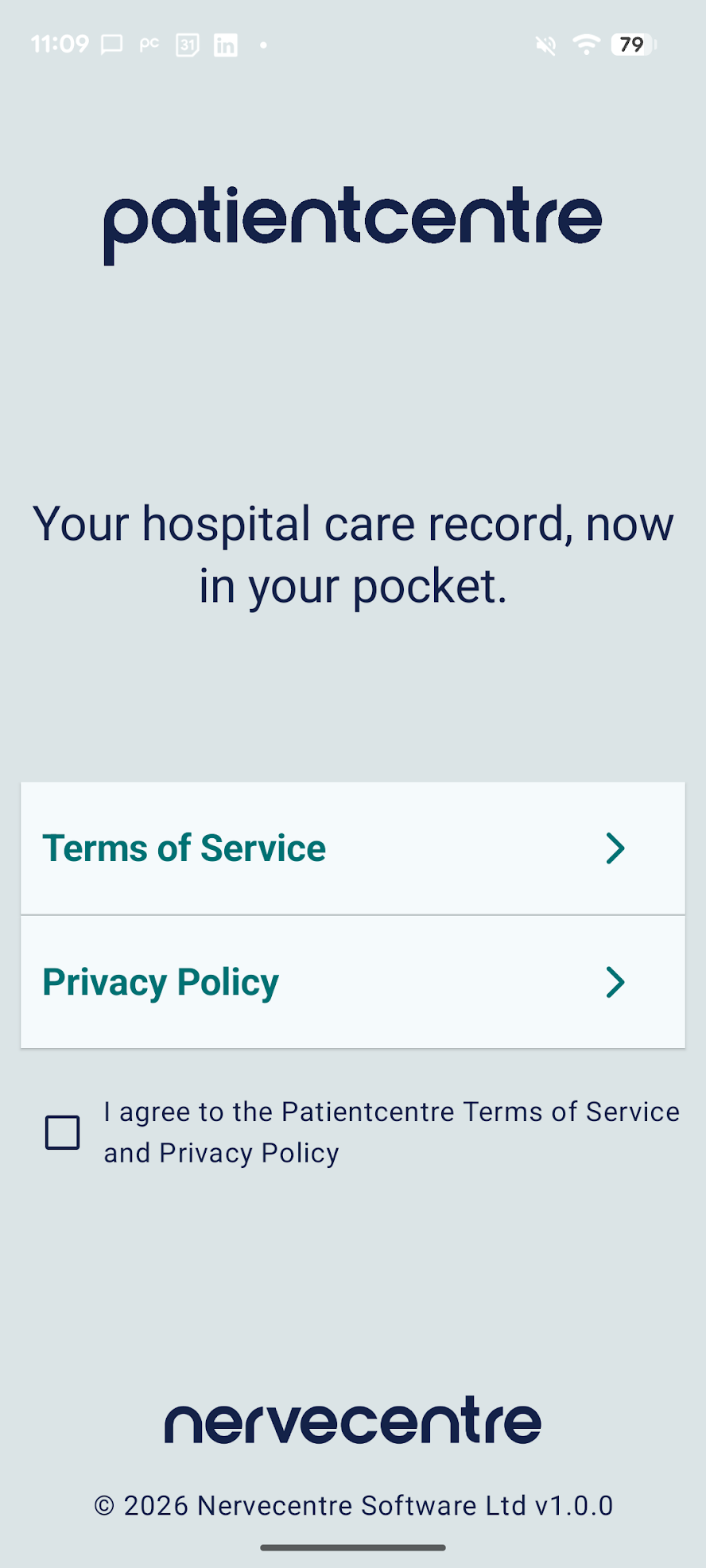
You must confirm that you have read the Terms of Use and Privacy Policy by ticking the box on the screen that says "I agree to the Patientcentre Terms of Service and Privacy Policy". Once you have ticked the box, the Continue to NHS login button will appear.
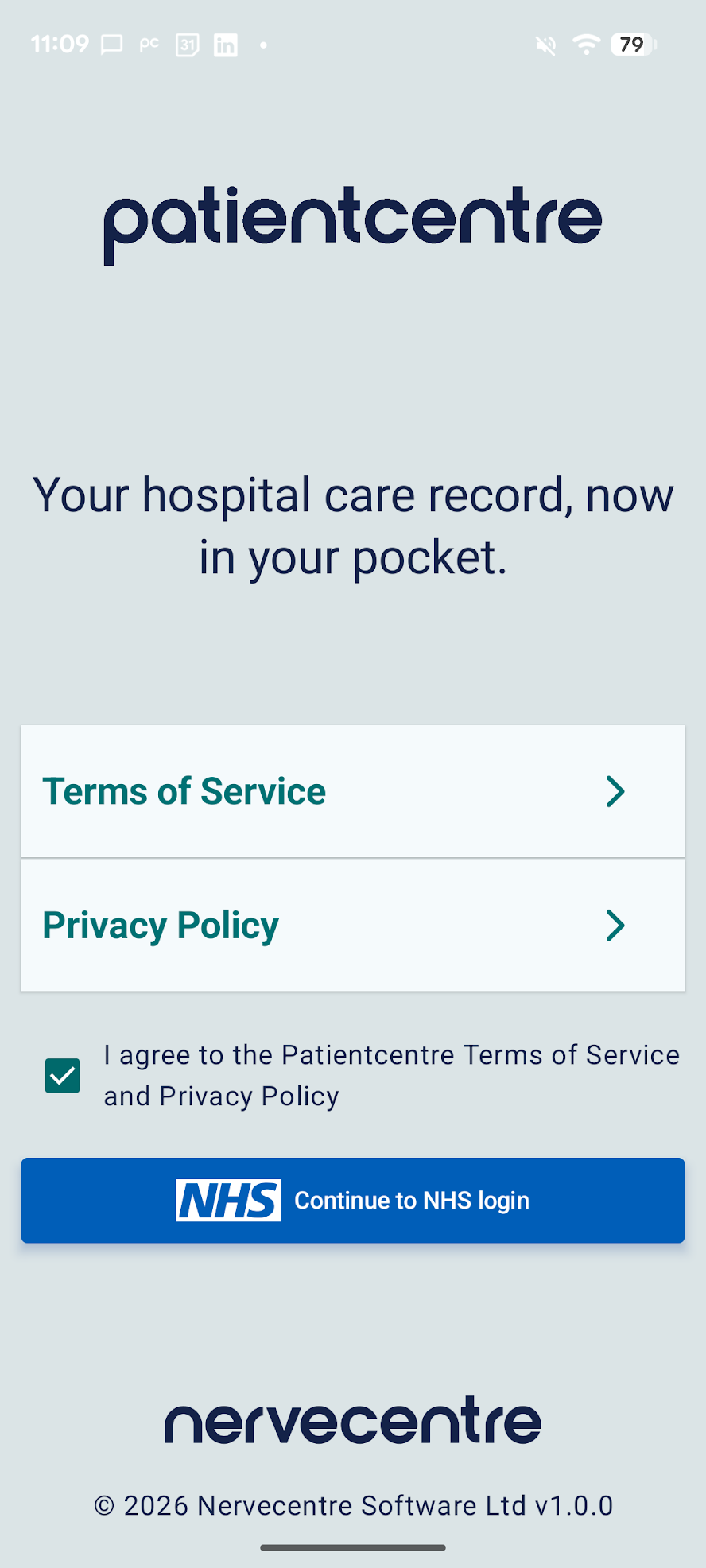
Select the Continue to NHS login button and the NHS login website will open on your phone.
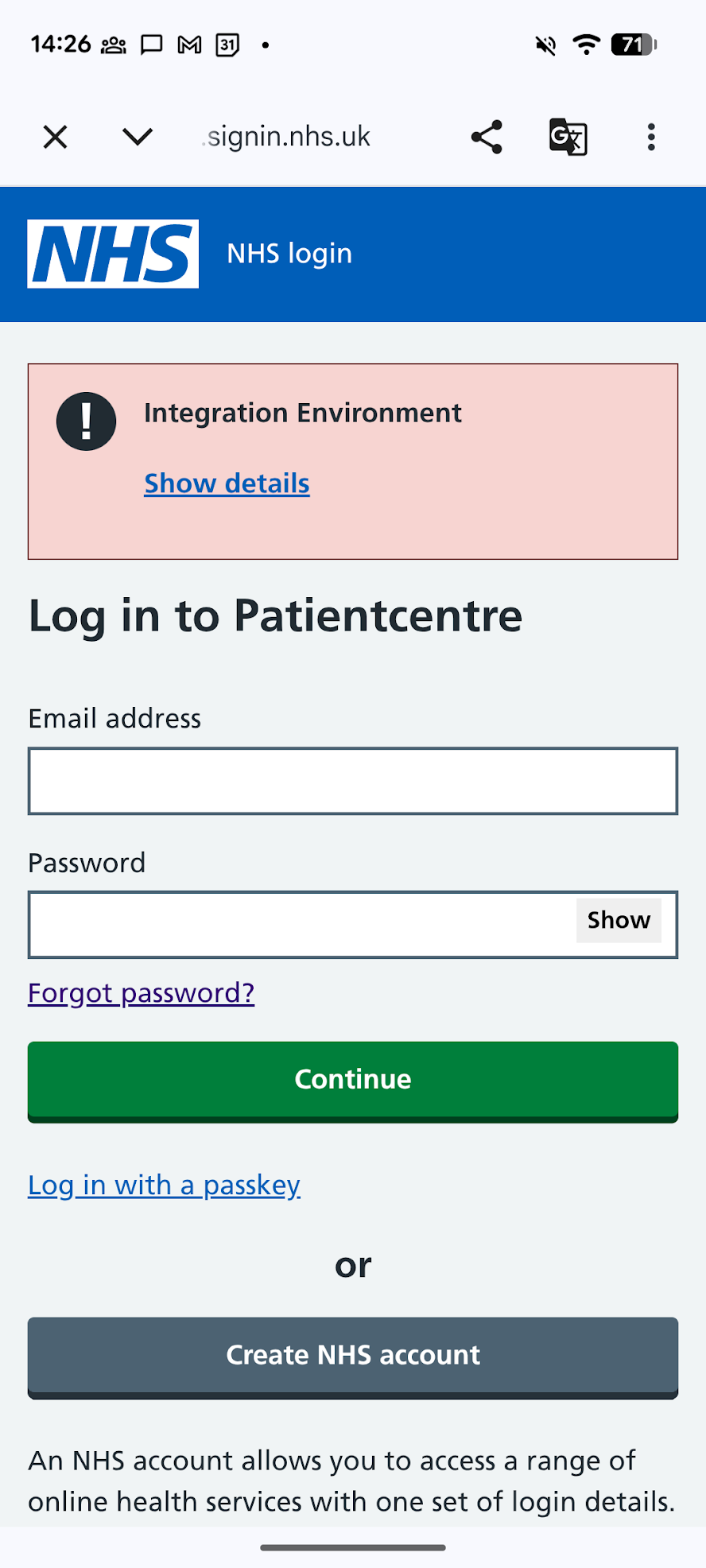
If you do not have an NHS login account, select Create NHS account. To register for a new account, you will need to be registered with a GP and you will need photo ID. The NHS login registration pages provide a lot of guidance during the registration process, but if you want to read about the process prior to registering then visit help.login.nhs.uk.
If you already have an NHS login account, or once you have completed the registration process and have accessed Patientcentre again, enter your NHS login email and password then select Continue.
You will then receive a text message to your phone containing a 6 digit code. Enter the code and select Continue.
Next, you will be asked to agree to share your NHS login information with Patientcentre. If you do not do this, you will not be able to use Patientcentre. Select I agree. Your details will then be checked.
You might then be asked if you want to store a passkey on your device for enhanced security, enabling you to log in next time using your fingerprint, face, passcode or pattern that you have on your device. If you want to do this, select Set up a passkey. If you do not want to do this, select Skip passkey setup and continue to Patientcentre.
Finally, you will be taken back to the Patientcentre app and you will be able to log in using your biometrics (your face or fingerprint) or a passcode.
When you open the Patientcentre app next time, if it is less than 30 days since your last login and if the app has not been updated since your last login, you will not need to use NHS login. Instead, you can use your biometrics (your face or fingerprint) or a passcode to log into Patientcentre. Otherwise, you will need to log in again via NHS login.
Was this article helpful?
That’s Great!
Thank you for your feedback
Sorry! We couldn't be helpful
Thank you for your feedback
Feedback sent
We appreciate your effort and will try to fix the article